Are you over going back and forth just to lock in a meeting time?
You’re not alone.
For many coaches, consultants and service-based businesses, booking appointments still involves emails, DMs, suggested times, rescheduled times, calendar checks and follow-ups.
It feels small.
But it adds up.
And it’s one of the easiest processes in your business to automate.
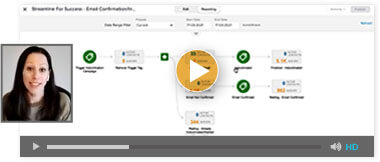
In this article (and the video below), I’ll show you what appointment automation actually looks like in practice — and how to remove yourself from the manual back-and-forth without adding complexity.
Watch: How Appointment Automation Works in Practice
What Is Appointment Automation?
Appointment automation is the process of allowing clients or leads to:
- Choose a time that suits them
- Book directly into your calendar
- Receive confirmation automatically
- Get reminders without you sending them manually
Instead of emailing times back and forth, the system handles availability checking, calendar updates, confirmations and reminders behind the scenes.
You don’t manage bookings.
You simply show up.
For service-based businesses, this small operational shift can create a noticeable difference in workload and client experience.
The Hidden Cost of Manual Booking
Manual booking often feels harmless.
It’s just a few emails.
But when you zoom out, it’s rarely just one email. It’s checking your calendar while juggling other tasks. It’s context switching. It’s waiting for replies. It’s remembering to follow up if someone goes quiet.
Over time, this creates friction in five key areas:
- Your time gets fragmented by small admin tasks
- Revenue is delayed when booking takes too long
- No-shows increase when confirmations aren’t structured
- Mental load builds because follow-ups sit in your head
- The client experience feels inconsistent from the start
Most business owners don’t struggle because they’re disorganised.
They struggle because the system relies on them.
Appointment automation removes that dependency.
What Automated Appointment Booking Looks Like
When appointment automation is set up properly, the entire experience changes — for both you and your clients.
From the Client’s Perspective
It feels simple and professional.
They receive a clear link, choose a time that works for them, and instantly know their booking is confirmed. There’s no waiting for a reply. No uncertainty about whether the time is locked in.
They also receive reminder emails (and optionally SMS reminders), which improves show-up rates without you needing to think about it.
From Your Perspective
Instead of managing logistics, you’re simply notified that a booking has been made. Your calendar is updated automatically. Reminders are sent without you remembering. Follow-up can even trigger automatically after the call.
The process becomes consistent and predictable.
And consistency builds trust.
How Appointment Automation Works Behind the Scenes
You don’t need anything complicated to get started.
At its core, a good appointment automation system:
- Connects to your Google or Microsoft calendar
- Checks your availability automatically
- Blocks out booked times
- Sends confirmation emails
- Sends reminder notifications
Simple Setup Rules You Can Control
You can also set practical rules such as:
- Available days and hours
- Buffers between meetings
- Maximum daily bookings
- Time zone handling
You can start with one appointment type and email reminders only.
You don’t need advanced features on day one.
The goal is progress, not perfection.
Is This Just Calendly or Acuity?
Tools like Calendly and Acuity are popular for a reason. They solve the basic problem of scheduling.
For many businesses, they’re a great starting point.
The question becomes more relevant as your business grows.
If booking is isolated from your CRM, your follow-up system and your sales process, you may find yourself managing multiple tools that don’t fully speak to each other. That’s when the admin starts to creep back in.
Here’s how an all-in-one approach compares.
Appointment Automation Comparison: All-in-One vs Calendly vs Acuity
| Feature | All-in-One System | Calendly | Acuity |
|---|---|---|---|
| Automated booking | Yes | Yes | Yes |
| Calendar sync | Yes | Yes | Yes |
| Email reminders | Yes | Yes | Yes |
| SMS reminders | Yes (built-in) | Limited / add-ons | Limited |
| CRM included | Yes | No | No |
| Automated follow-up workflows | Yes | Limited | Limited |
| Stop reminders once booked | Yes | Requires setup | Requires setup |
| Single login system | Yes | No | No |
| Additional subscription required | No | Yes | Yes |
For many service-based businesses, booking isn’t a standalone problem.
It connects to lead tracking, follow-up sequences, sales pipelines and database growth.
That’s where an integrated system becomes more efficient long-term.
A Real Example of Removing Booking Friction
One of our clients, Lorraine, a pet photographer, was manually coordinating every enquiry.
She’s brilliant at what she does.
But tech isn’t her favourite part of business.
Before implementing appointment automation, every new enquiry required back-and-forth communication just to get someone on a call.
After automating the process:
- Enquiries automatically received a booking link
- Clients booked late at night without waiting
- Conversations moved faster
- Show-up rates improved
- Admin time reduced significantly
It was one operational adjustment.
But it removed a surprising amount of friction from her week.
Why Appointment Automation Matters for Growth
Appointment automation isn’t just about convenience.
It’s about creating operational leverage.
If your business relies on you manually coordinating every booking, there is a natural ceiling to how many enquiries you can handle efficiently. As demand increases, so does the admin.
That’s where many service-based businesses feel stuck.
They want to grow, but growth seems to mean more moving parts and more pressure.
When booking is automated, growth doesn’t automatically create chaos. The system absorbs the increase in activity. Clients can book at any time of day. Reminders go out consistently. Follow-ups don’t get forgotten.
It’s a small operational improvement that supports bigger strategic goals.
A Practical First Step
If you’ve been manually coordinating bookings for years, you don’t need to rebuild everything overnight.
Start with one appointment type.
Connect your calendar.
Test it yourself.
Experience what it feels like to remove just one repetitive task from your week.
For many of our clients, that first small change becomes the catalyst for simplifying the rest of their systems.
Ready to Stop Chasing Times?
If you’d like to implement appointment automation inside a single system — without juggling multiple subscriptions — we offer an all-in-one solution called HighLevel by Streamline For Success.
It combines:
- Appointment booking
- CRM
- Automated follow-up
- Reminders
- Pipeline tracking
All in one place.
You can explore it with a free trial below and see how it works in your own business.